[Case 03]
OSEX HR Dashboard
SaaS
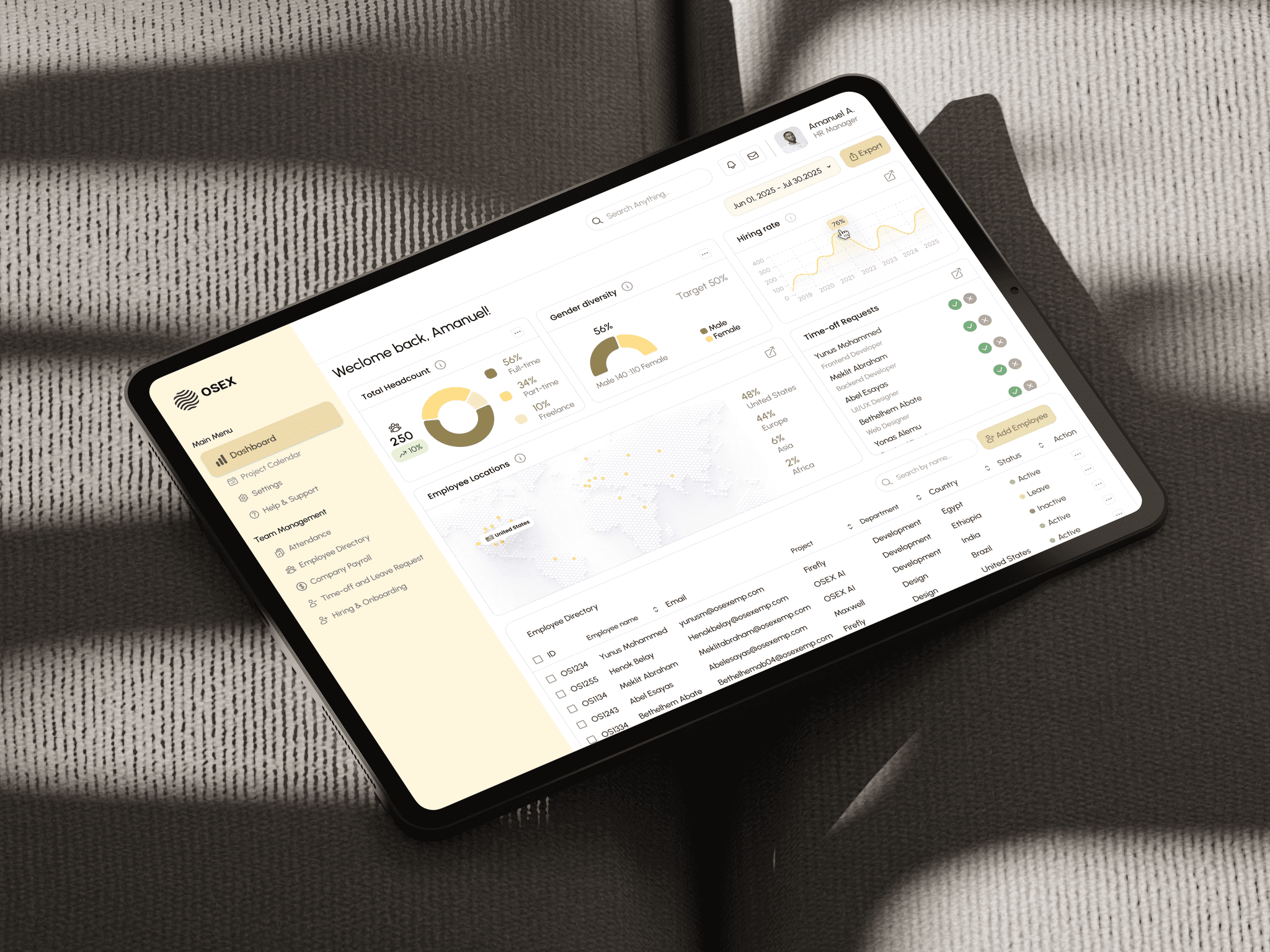
OSEX | HR dashboard design
Helping transform HR duties from spreadsheets to a responsive system.
[Project Overview]
As OSEX scaled to 250+ employees across multiple regions, internal HR operations became increasingly fragmented. This project aimed to design a modern HR dashboard that centralizes people operations, reduces manual work, and gives leadership real time insight into workforce health all while delivering a seamless experience for HR admins, managers, and employees.
[Industry]
SaaS
[My Role]
Product Designer
[Platforms]
Web App
[Timeline]
July 2025
[Problem Statement]
OSEX's HR team relied on using spreadsheets, Slack messages, Notion docs which according to them is causing data silos, onboarding inconsistencies, and a lack of visibility into workforce metrics. After a detailed discussion and interview with the team we narrowed down the key challenges they are facing as follows:
Disjointed onboarding flow
No centralized employee directory
No visibility into key HR analytics
Manual, inconsistent leave request handling
Lack of permission-based role views
[Outcome]
I successfully designed their current HR Dashboard which aimed to tick all the challenges they were facing while using their previous method which will also accommodate further expansions of their operations.
[Dark]
[Light]
[Persona]

Olivia Sanchez
HR Manager
Age: 29
Location: United States
Tech Proficiency: High
Gender: Female
[Goal]
Manage full employee lifecycle
View live company insights and generate reports
Track and manage leave and time off request and view employee leave balance
[Frustrations]
No centralized task tracking
Manual work overload
Onboarding is not being tracked efficiently, and it is taking longer than it should

The design reflects modern SaaS principles by its minimalist UI, modular components, and responsive behavior. The key modules I designed include:
Employee Directory
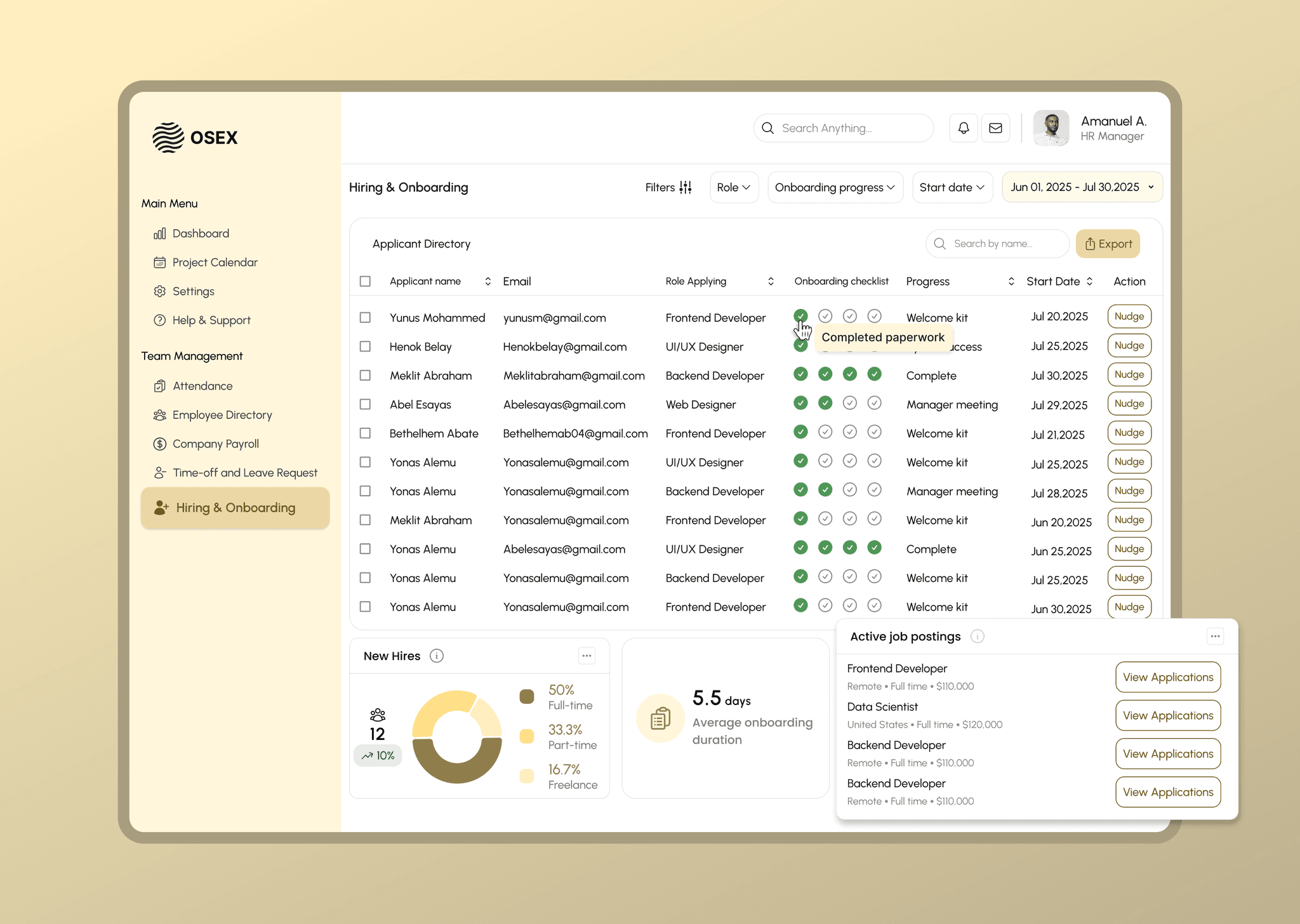
Filter by team, status, location; deep profile view with manager, documents, and status.Onboarding Tracker
Progress indicator, checklist items, task assignment to HR or managers, and completion tracking.HR Analytics Dashboard
Real-time metrics: active headcount, hiring rate, attrition rate, DEI distribution.Leave & Time-Off Module
Request form, approval system, balance tracker, calendar of who's out.Role-Based Access
Admins access all data; managers only their team; employees see only their profile and leave tools.
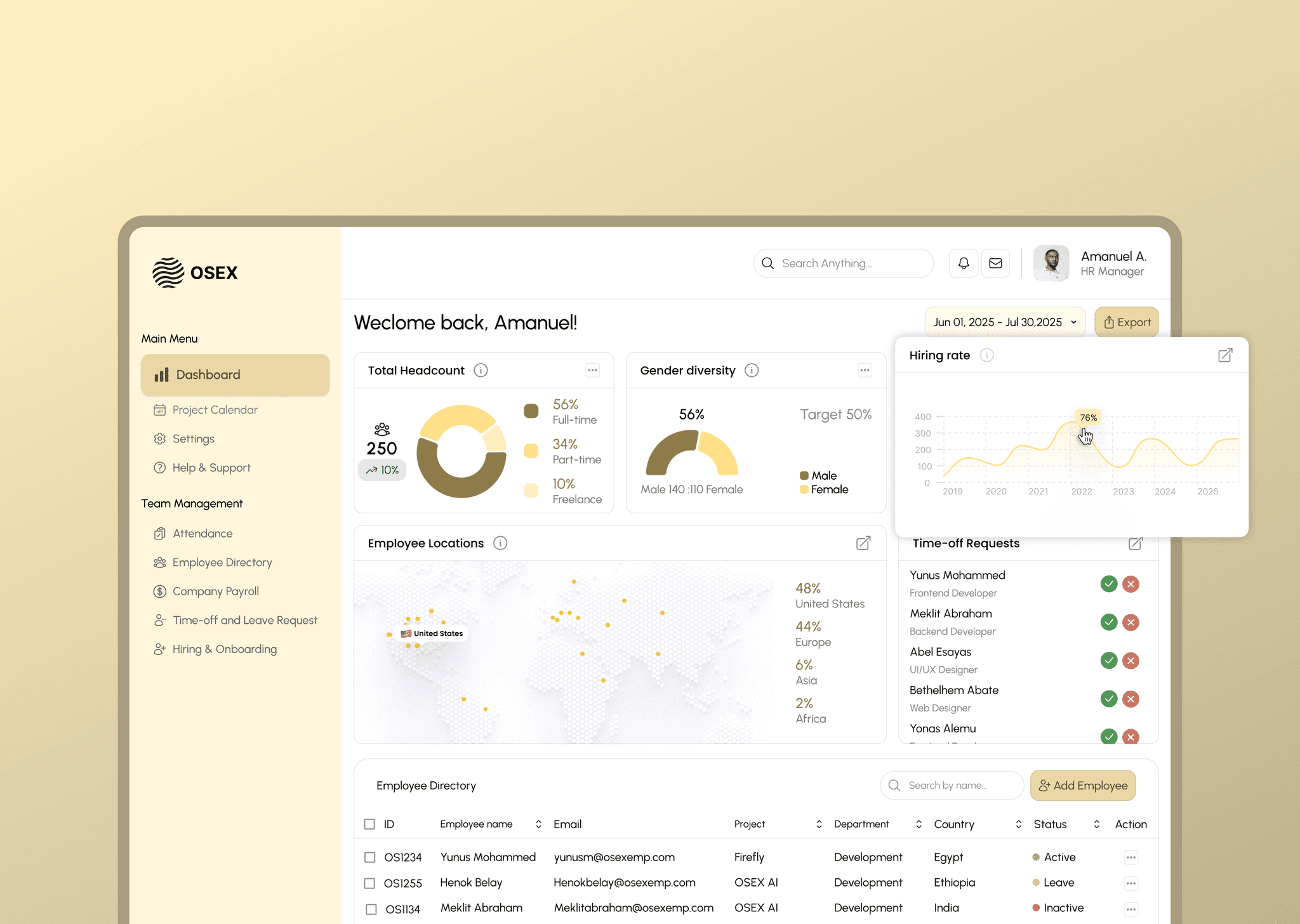
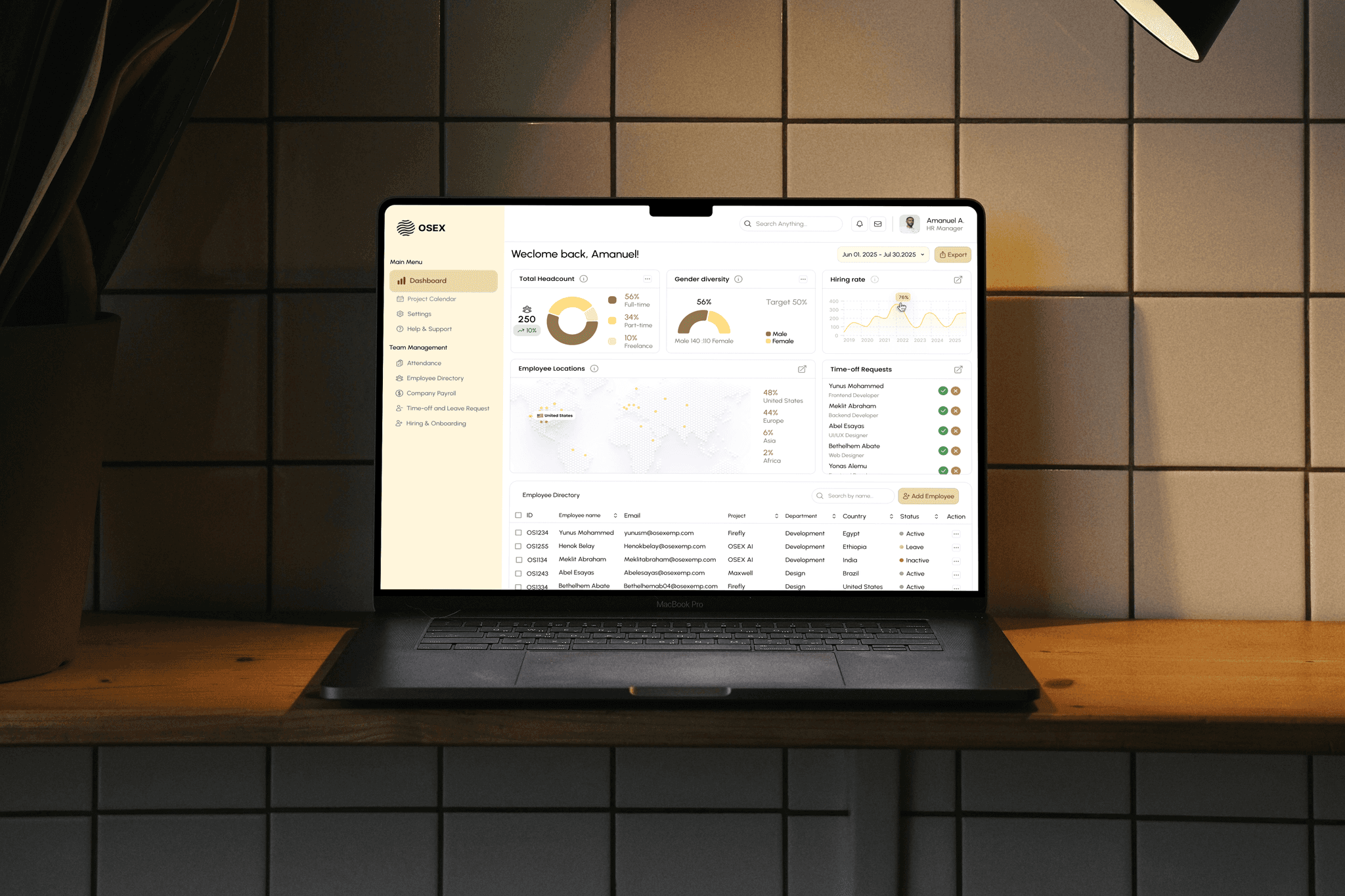
Insightful Dashboard
In my interview with the HR team, they revealed it took them over 6 hours of manual data analysis and insight generation to generate their respective reports. This guided the creation of real time data insights that are exportable.
Optimized Hiring and Onboarding
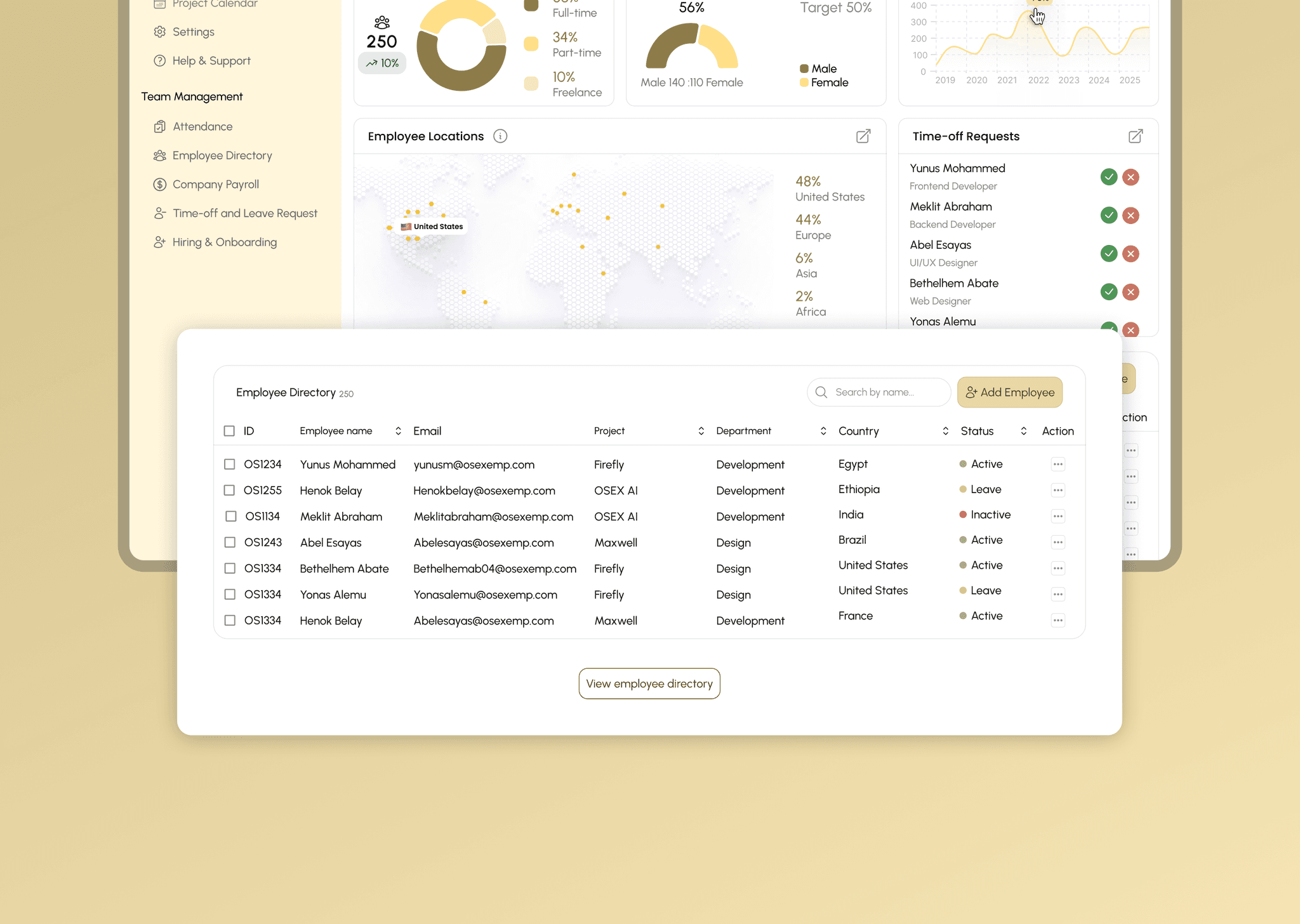
Employee directory with robust filtering
Employee directory view now has the feature to filter by name, project, department, country and status. Clicking on employee names will lead to the employee profile page.
I conducted 6 in-depth interviews with HR staff, people managers, and employees, complemented by a competitive audit of popular HR tools (BambooHR, Gusto, Rippling, and Personio) which helped me get insight of their major pain points and how I can approach the design of their system.
80%
of HR admins
said that onboarding tasks were lost due to unclear ownership and also due to the process relying on email and slack communications which made it difficult for them to check the status or progress of their new hires.
8hrs
HR teams wasted ~8 hours weekly compiling reports for leadership
this was due to manual data insight generation and lack of real time data at their disposal.
100%
of interviewees mentioned frustration with Slack/email-based leave requests
[Outcome]
46% reduction in onboarding process and hire completion
64% reduction in time off request and approval process
43% reduction in report generation time from
(8hrs - 3.5hrs)
[Key Learnings]
UX isn't just about clean UI
This project showed me that in HR tools, UX means more than clean UI. It’s about reducing operational friction, making approvals seamless, and turning human delays into automated flows. Good design is invisible when the workflow just works.
Operational tools must balance control and clarity
Admins need power, managers need focus, and employees need simplicity. Designing role-based views taught me how to serve multiple user needs within one interface without overwhelming anyone.
Data visualization isn’t decoration
Charts aren’t just for show. When done right, they replace entire reports and make insights feel instant.